
Multicast and Routing Guide K/KA/KB.15.15
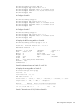
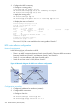
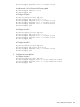
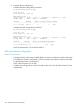

HP Switch(config)# router bgp 200
HP Switch(bgp)# neighbor 193.1.1.1 route-map localpref in
HP Switch(bgp)# exit
# Display the routing table on Switch D.
HP Switch(config)# show ip bgp
Local AS : 100
Local Router-id : 194.1.1.1
BGP Table Version : 1
Status codes: * - valid, > - best, i - internal, e - external, s - stale
Origin codes: i - IGP, e - EGP, ? - incomplete
Network Nexthop Metric LocalPref Weight AsPath
-------------------------------------------------------
*>e 1.0.0.0/24 200.1.3.1 200 0 100i
* i 1.0.0.0/24 100 0 100i
You can see that route 1.0.0.0/8 from Switch D to Switch C is the optimal route.
BGP GR configuration
Network requirements
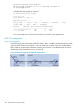
In the following figure, all switches are BGP switches. There is a eBGP connection between Switch
A and Switch B. Switch B and Switch C are connected over an iBGP connection. Enable GR for
BGP so that the communication between Switch A and Switch C is not affected when an active/
standby main board switchover occurs on Switch B.
Figure 65 Network diagram for BGP GR configuration
328 Border Gateway Protocol (BGP)