
Access Security Guide K/KA/KB.15.15
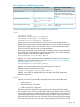
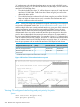
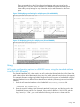
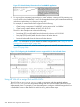
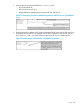
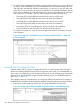
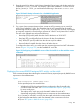
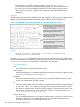
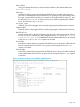


These commands show the CLI-configured rate-limiting and port priority for the
selected ports. They also include indications of RADIUS-assigned rate-limiting and
client traffic priority settings for any clients that may be authenticated on the same
ports.
Figure 150 Displaying rate-limiting for multiple ports (CLI and RADIUS)
Figure 151 Displaying priority for multiple ports (CLI and RADIUS)
Using
ACE syntax configuration options in a RADIUS server, using the standard attribute
in an IPv4 ACL (Example)
The Standard attribute (92), when used in an ACL without the HP-Nas-Rules-IPv6 VSA, filters IPv4
traffic inbound from the authenticated client. (Any IPv6 traffic inbound from the client is dropped.)
This example illustrates configuring RADIUS-assigned IPv4 ACL support on FreeRADIUS using the
standard attribute for two different client identification methods (username/password and MAC
address).
1. Enter the ACL standard attribute in the FreeRADIUS dictionary.rfc4849 file.
ATTRIBUTE Nas-FILTER-Rule 92
2. Enter the switch IP address, NAS (Network Attached Server) type, and the key used in the
FreeRADIUS clients.conf file. For example, if the switch IP address is 10.10.10.125 and the
key ("secret") is "1234", you would enter the following in the server's clients.conf file:
Using 203