
Access Security Guide K/KA/KB.15.15
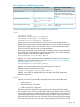
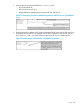
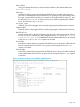


2. Enter the switch IPv4 address, NAS (Network Attached Server) type, and the key used in the
FreeRADIUS clients.conf file. For example, if the switch IP address is 10.10.10.125 and
the key ("secret") is "1234", you would enter the following in the server's clients.conf
file:
Figure 158 Switch identity information for a freeRADIUS application
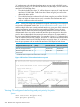
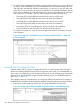
3. For a given client username/password pair, create an ACL by entering one or more IPv4
ACEs in the FreeRADIUS "users" file. Remember that the ACL created to filter IPv4 traffic
automatically includes an implicit deny in ip from any to any ACE (for IPv4). For example,
to create ACL support for a client having a username of "User-10" and a password of "auth7X".
The ACL in this example must achieve the following:
• Permit http (TCP port 80) traffic from the client to the device at 10.10.10.117.
• Deny http (TCP port 80) traffic from the client to all other IPv4 addresses.
• Deny Telnet (TCP port 23) traffic from the client to any IPv4 address.
• Permit all other IPv4 traffic from the client to all other devices.
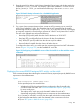
To configure the above ACL, you would enter the username/password and ACE information
shown in Figure 159 (page 207) into the FreeRADIUS "users"file.
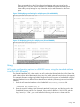
Figure 159 Configuring a FreeRADIUS server to filter IPv4 traffic for a client with the correct
credentials
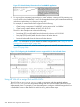
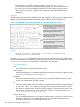
Displaying the current RADIUS-assigned ACL activity on the switch
These commands output data indicating the current ACL activity imposed per-port by RADIUS server
responses to client authentication.
Syntax:
show access-list radius <port-list>
For the specified ports, this command lists:
• Whether the ACL for the indicated client is configured to filter IPv4 traffic only,
or both IPv4 and IPv6 traffic. See “Nas-Filter-Rule Attribute Options” (page 220)
for more on this topic.
• The explicit ACEs, switch port, and client MAC address for each ACL
dynamically assigned by a RADIUS server as a response to client authentication.
If cnt (counter) is included in an ACE, then the output includes the current number
of inbound packet matches the switch has detected in the current session for that
ACE, see “ACE syntax in RADIUS servers” (page 222).
Using 207