
Access Security Guide K/KA/KB.15.15
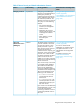
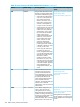
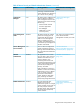
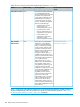


Displaying traffic/security filters
This command displays a listing of all filters by index number and also enables you to use the
index number to display the details of individual filters.
Syntax
show filter
corresponding filter index (IDX) numbers. IDX: An automatically assigned index
number used to identify the filter for a detailed information listing. A filter retains
its assigned IDX number for as long as the filter exists in the switch. The switch
assigns the lowest available IDX number to a new filter. This can result in a newer
filter having a lower IDX number than an older filter if a previous filter deletion
created a gap in the filter listing.
Filter Type
Indicates the type of filter assigned to the IDX number (source-port, multicast,
or protocol).
Value
Indicates the port number or port-trunk name of the source port or trunk assigned
to the filte
[index]
Lists the filter type and other data for the filter corresponding to the index number
in the show filter output. Also lists, for each outbound destination port in the
switch, the port number, port type, and filter action (forward or drop). The switch
assigns the lowest available index number to a new filter. If you delete a filter,
the index number for that filter becomes available for the next filter you create.
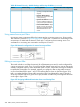
Example 20 Example
To display the filters created in figure 12-15 on page 12-21 and then list the details of the multicast
filter for multicast address 010000-224466:
Figure 328 Display filter data
Overview
Information provided here gives an overview of the security features included on your switch.
Table 47 (page 441) outlines the access security and authentication features, while Table 48
(page 445) highlights the additional features designed to help secure and protect your network. For
detailed information on individual features, see the references provided.
Before you connect your switch to a network, HP strongly recommends that you review the section
titled . It outlines potential threats for unauthorized switch and network access, and provides
guidelines on how to prepare the switch for secure network operation.
You can enhance in-band security and improve control over access to network resources by
configuring static filters to forward (the default action) or drop unwanted traffic. That is, you can
Overview 449