
Advanced Traffic Management Guide K/KA/KB.15.15
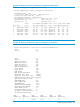


Example 72 Viewing status for a specific instance of an MSTP
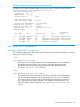
This shows how to display detailed status for all active ports for a specific instance of MSTP.
HP Switch(config)#: show spanning-tree instance 11
MST Instance Information
Instance ID : 11
Mapped VLANs : 111,300
Switch Priority : 32768
Topology Change Count : 2
Time Since Last Change : 4 mins
Regional Root MAC Address : 1cc1de-cfbc80
Regional Root Priority : 32768
Regional Root Path Cost : 400000
Regional Root Port : This switch is root
Remaining Hops : 20
Designated
Port Type Cost Priority Role State Bridge
----- --------- --------- -------- ---------- ---------- -------------
1 10/100TX 200000 128 Root Forwarding 1cc1de-cfbc80
2 10/100TX 200000 128 Designated Forwarding 1cc1de-02a700
3 10/100TX Auto 112 Designated Forwarding 1cc1de-02a700
4 10/100TX Auto 128 Disabled Disabled
. . . . . .
Viewing the MSTP configuration
Viewing the global MSTP configuration
This command displays the switch's basic and MST region spanning tree configuration, including
basic port connectivity settings.
Syntax:
show spanning-tree config
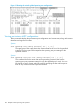
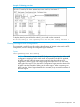
The upper part of this output shows the switch's global spanning tree configuration
that applies to the MST region. The port listing shows the spanning tree port
parameter settings for the spanning tree region operation configured by the
spanning-tree port-list command.
Syntax:
show spanning-tree port-list config
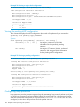
This command shows the same data as the above command, but lists the spanning
tree port parameter settings for only the specified port or trunk. You can list data
for a series of ports and port trunks by specifying the first and last port or trunk of
any consecutive series of ports and trunks. For example, to display data for port
A20-A24 andtrk1, use the command: show spanning-tree a20-a24,trk1
config
Viewing the MSTP configuration 101