
Advanced Traffic Management Guide K/KA/KB.15.15
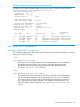
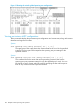
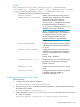
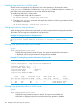
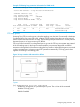
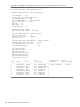
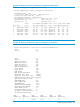


Example 73 Viewing port data
To display data for ports A20-A24 and trk1, you would use the command:
HP Switch(config)#: show spanning-tree a20-a24,trk1 config instance 1
Viewing the region-level configuration
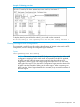
This command is useful for quickly verifying the allocation of VLANs in the switch's MSTP
configuration, and for viewing the configured region identifiers.
Syntax:
show spanning-tree mst-config
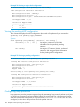
NOTE: The switch computes the MSTP Configuration Digest from the VID to MSTI
configuration mappings on the switch itself. As required by the 802.1s standard,
all MSTP switches within the same region must have the same VID to MSTI
assignments, and any given VID can be assigned to either the IST or one of the
MSTIs within the region. Thus, the MSTP Configuration Digest must be identical for
all MSTP switches intended to belong to the same region. When comparing two
MSTP switches, if their Digest identifiers do not match, they cannot be members of
the same region.
Viewing the MSTP configuration 103