
Advanced Traffic Management Guide K/KA/KB.15.15
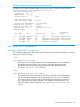
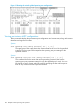
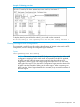
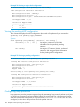
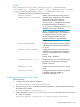


Syntax:
[no] loop-protect port-list [[receiver-action [[send-disable] |
[no-disable]]] | [transmit-interval 1-10] | [disable-timer 0-604800] |
[trap loop-detected]] [mode] [[port] | [vlan]] [vlan vid-list]
Configures per-port loop protection on the switch.
receiver-action
send-disable | no-disable
Sets the action to be taken when a loop is
detected on the specified ports. The port that
receives the loop protection packet
determines what action is taken. If
send-disable is configured, the port that
transmitted the packet is disabled. If
no-disable is configured, the port is not
disabled when a loop is detected.
NOTE: The port will not transmit loop
protection packets unless it is a member of
an untagged VLAN. If a port is only a
member of tagged VLANs, the loop
protection packets are not transmitted.
Default: send-disable
trap loop-detected Configures loop protection traps for SNMP
indicating when a loop has been detected
on a port.
disable-timer 0-604800 Configures how long (in seconds) a port is
disabled when a loop has been detected. A
value of zero disables the auto re-enable
function.
Default: Timer is disabled
transmit-interval 1-10 Configures the time in seconds between the
transmission of loop protection packets.
Default: 5 seconds
mode port | vlan Configures loop protection in port or VLAN
mode.
vlan vlan-id-list Configures the VLANs on which loop-protect
is enabled. Maximum number of
loop-protected VLANS is 32.
Enabling loop protection in port mode
Follow these steps.
1. Configure port mode with this command:
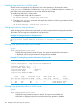
HP Switch(config)#: loop-protect mode port
2. Enter the loop-protect command and specify the ports on which loop protection should
be enabled. For example:
HP Switch(config)#: loop-protect 1-2
3. Optionally specify receiver-action of send-disable to shut down the port in the event
of a loop. For example:
HP Switch(config)#: loop-protect 1-2 receiver-action send-disable
Configuring loop protection 105