
Advanced Traffic Management Guide K/KA/KB.15.15

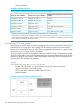

NOTE: All devices in the network should be configure to use same pathcost mode
for proper functioning.
Syntax:
[no] spanning-tree port port-#: vlan vid-list path-cost { auto |
[1...200000000]}
Sets the path cost for a single port on the specified VLAN(s). If the port is a member
of more than one VLAN, the path-cost applies only where the port has traffic
for the VLAN(s) specified.
Default: auto
Range: 1 - 200000000
The no form of the command returns path-cost to its default setting.
Syntax:
[no] spanning-tree port port-number vlan vid-list priority <0-15>
path-costauto | <Path-Cost>
Sets the port priority for the specified VLANs. The value is in the range of 0-240
divided into steps of 16 that are numbered 0 to 15. The default is step 16.
The per-port per-VLAN priority is used to help choose the root port for a switch on
the specified VLAN if there are multiple links to the root switch.
Default: 8
Range 0 - 15
The no form of the command sets the priority to its default value.
Configuring per-port spanning tree
Syntax:
[no] spanning-tree port-list admin-edge-port
Enables admin-edge-port on ports connected to end nodes. During spanning
tree establishment, ports with admin-edge-port enabled transition immediately
to the forwarding state. If a bridge or switch is detected on the segment, the port
automatically operates as non-edge, not enabled.
If admin-edge-port is disabled on a port and auto-edge-port has not been
disabled, the auto-edge-port setting controls the behavior of the port.
Default: No - disabled
The no form of the command disables edge-port operation on the specified ports.
Syntax:
[no] spanning tree port-list auto-edge-port
Enables or disables the automatic identification of edge ports. The port will look
for BPDUs for 3 seconds. If there are none it begins forwarding packets. If
admin-edge-port is enabled for a port, the setting for auto-edge-port is ignored
whether set to yes or no. If admin-edge-port is set to No, and auto-edge-
port has not been disabled (set to No), then the auto-edge-port setting controls
the behavior of the port.
Default: Yes - enabled
The no form of the command disables auto-edge-port operation on the
specified ports
134 Rapid per-VLAN spanning tree (RPVST+) operation