
Advanced Traffic Management Guide K/KA/KB.15.15
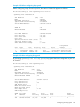
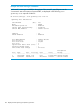

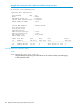
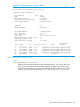
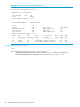
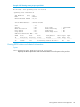
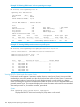
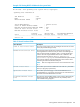
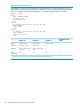

Example 105 Viewing config file with loop guard enabled
The following example displays show spanning-tree config output with loop guard enabled
on Port 20:
HP Switch(config)#: show spanning-tree config
Spanning Tree Information
STP Enabled [No] : Yes
Mode : RPVST
Extended System ID : Enabled
Ignore PVID Inconsistency : Disabled
RPVST Enabled VLANs : 100
Switch MAC Address : 002347-c651c0
Root Guard Ports :
Loop Guard Ports : 20
TCN Guard Ports :
BPDU Protected Ports :
BPDU Filtered Ports :
Auto Edge Ports : 1-24
Admin Edge Ports :
Max Age Forward Hello Admin Root
VLAN Priority (sec) Delay(sec) Time(sec) Bridge
---- -------- ------- ---------- --------- ----------------
100 32768 20 15 2 Not Configured
Viewing RPVST+ statistics and configuration
NOTE: RPVST+ is a superset of the STP/802.1D and RSTP/802.1w protocols, and uses the
RPVST+ MIB (hpicfRpvst).
Viewing RPVST+ global statistics
Viewing global and VLAN spanning tree status
Syntax:
show spanning-tree
Displays the switch’s global and VLAN spanning tree status.
Viewing RPVST+ statistics and configuration 143