
Advanced Traffic Management Guide K/KA/KB.15.15
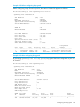
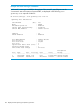

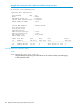
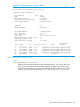
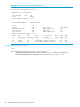
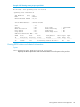
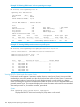
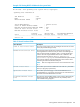
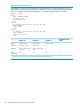

Example 113 Configuring vPorts
Virtual ports on a switch are calculated as ports per-VLAN. Also, a trunk membership on one or
more VLANs counts as one vPort per-VLAN, regardless of how many physical ports belong to the
trunk. For example, the following configuration on a modular chassis results in 26 vPorts.
trunk 1,2 trk1
vlan 1
name "DEFAULT_VLAN"
untagged 3-24
no untagged trk1
exit
vlan 20
ip address 10.243.230.75 255.255.255.248
name "VLAN20"
tagged trk1
exit
vlan 30
ip address 10.243.230.83 255.255.255.248
name "VLAN30"
tagged 13,14,trk1
exit
Total vPorts on the
SwitchModule “C”Module “B”Module “A”
24 (C1 - C24)23 (B2 - B2422 (A3 - A24)VLAN 1
01 (trk1: B1)
1
1 (trk1: A1 - A2)
1
VLAN 20
02 (B13 - B14) 1 (trk1:
B1)
1
2 (A13 - A14) 1 (trk1:
A1 - A2)
1
VLAN 30
77242726vPorts
per-module
1
A trunk in a given VLAN counts as one vPort for each module on which it occurs.
150 Rapid per-VLAN spanning tree (RPVST+) operation