
Advanced Traffic Management Guide K/KA/KB.15.15
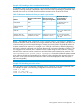
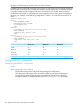

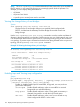
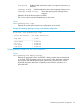
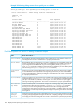

Example 119 Viewing the global RPVST+ configuration per port
HP Switch#: show spanning-tree 9,11,12,21,22 2 trk1 config
Spanning Tree Information
STP Enabled [No] : Yes
Mode : RPVST
Switch MAC Address : 002347-587b80
RPVST Enabled VLANs : 10,20
Admin Auto Admin Root Loop TCN BPDU BPDU
Port Edge Edge PtP Grd Grd Grd Flt Guard
----- ----- ---- ----- ---- ---- --- ---- -----
9 No Yes True No No No No No
11 No Yes True No No No No No
12 No Yes True No No No No No
21 No Yes True No No No No No
Trk1 No Yes True No No No No No
Viewing the global RPVST+ configuration per port per VLAN
Syntax:
show spanning-tree<ethernet> port-list vlan vlan-id
Lists the spanning tree port parameter settings per port per VLAN.
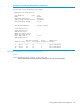
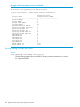
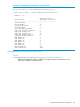
Example 120 Viewing the global RPVST+ configuration per port per VLAN
HP Switch#: show spanning-tree 9 config vlan 10
Spanning Tree Information
STP Enabled [No] : Yes
Mode : RPVST
Extended System ID : Enabled
Ignore PVID Inconsistency : Disabled
Switch MAC Address : 002347-587b80
RPVST Enabled : Enabled
VLAN ID : 10
Switch Priority : 32768
Forward Delay : 15
Hello Time : 2
Max Age : 20
Admin Root Bridge : Not Configured
Path Port Admin Auto Admin Root Loop TCN BPDU BPDU
Port Cost Priority Edge Edge PtP Grd Grd Grd Flt Guard
----- --------- -------- ----- ---- ----- ---- ---- --- ---- -----
9 20000 128 No Yes True No No No No No
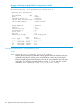
Troubleshooting an RPVST+ configuration
This section describes the show spanning tree commands you can use to monitor, troubleshoot,
and debug the operation of a per-VLAN spanning tree configuration in your network.
Troubleshooting an RPVST+ configuration 155