
Advanced Traffic Management Guide K/KA/KB.15.15

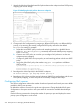
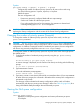


Viewing non-default codepoint settings (Example)
Default priority settings for selected codepoints
In a few cases, such as 001010 and 001100, a default DSCP policy (implied by the DSCP
standards for Assured-Forwarding and Expedited-Forwarding) is used. You can change the priorities
for the default policies by using the qos dscp-map codepointpriority 0 - 7 command.
The currently configured DSCP policies (codepoint and associated 802.1p priority) are not enabled
until you configure a global or classifier-based QoS policy to mark matching packets or configure
a global IP-Diffserv classifier.
Table 15 (page 234) displays the switch's default codepoint-priority assignments. If you change the
priority of any codepoint to a non-default value and then enter the write memory command, the
switch will list the non-default setting in the show config display.
The default configuration has the following DSCP-priority settings:
Default PriorityCodepoint
1001100
No-override001101
2001110
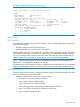
If you reconfigure these three codepoints to a priority of 3 and then enter the write memory
command, the switch displays the changes in the show config listing:
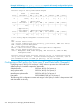
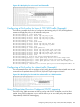
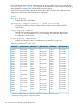
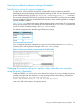
Figure 51 Viewing non-default priority settings in the DSCP table
Changing the priority setting on a policy when classifiers are currently
using the policy (Example)
Codepoint 000001 is in use by one or more global QoS policies. If you try to modify the priority
currently associated with the codepoint, an error message similar to the following is displayed:
HP Switch(config)#: qos dscp-map 1 priority 2
Cannot modify DSCP Policy 1 - in use by other qos rules.
In this case, follow these steps to change the priority:
Viewing non-default codepoint settings (Example) 235