
Advanced Traffic Management Guide K/KA/KB.15.15
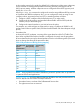
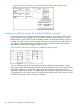
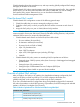
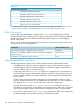
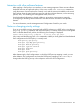
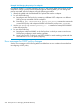

Example 166 Changing the priority of a codepoint
If codepoint 000001 is currently mapped to priority 6, and several global QoS policies use this
codepoint to assign a priority to their respective types of matching traffic, you can change the
priority associated with the codepoint using the following procedure.
1. Identify the global and classifier-based QoS policies that use the codepoint.
2. Do one of the following:
a. Reconfigure each QoS policy by re-entering a different DSCP codepoint or a different
802.1p priority associated with the codepoint.
b. Enter the no qos classifier or no policy qos-policy command to remove the
current DSCP policy with codepoint 000001 and reset the priority to No-override.
3. Use the qos dscp-map 000001 priority 0 - 7 command to remap DSCP 000001
to the desired priority.
4. Do one of the following:
a. Reconfigure codepoint 000001 in the QoS policies in which you want to use the new
DSCP-priority mapping to mark matching packets.
b. Leave a QoS policy in which you use DSCP 000001 to mark matching packets with the
associated No-override priority mapping.
Error messages for DSCP policy changes
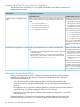
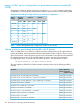
See the error messages in the following table to troubleshoot an error condition that results from
reconfiguring a DSCP policy.
258 Quality of Service: Managing bandwidth effectively