
Advanced Traffic Management Guide K/KA/KB.15.15

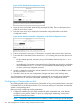
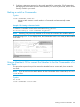
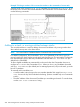
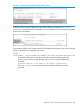
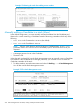

8. If you need to do specific configuration or monitoring tasks on a Member, use the console
interface on the Commander to access the Member.
Viewing stack status
Syntax:
show stack [ candidates | view | all ]
Lists the stack status for an individual switch or other switches discovered in the
same subnet.
Viewing the status of an individual switch
Syntax:
show stack
Lists the stacking configuration for an individual switch.
Example 167 Viewing show stack output
HP Switch(config)#: show stack
Stacking - Stacking Status (This Switch)
Stack State : Commander
Transmission Interval : 60
Stack Name : Big_Waters Number of members : 14
Auto Grab : Yes Members unreachable : 0
SN MAC Address System Name Device Type Status
-- ------------- ------------- -------------------- -----------------
0 1cc1de-cfbc80 Big_Waters-0 HP Switch Commander Up
1 000883-08f980 Big_Waters-1 HP Switch Member Up
Viewing the status of candidates the Commander has detected
Syntax:
show stack candidates
Example 168 Using the show stack candidates command to list candidates
HP Switch(config)#: show stack candidates
Stack Candidates
Candidate MAC System Name Device Type
------------- ---------------------- ---------------------
0060b0-889e00 DEFAULT_CONFIG 3500yl
Viewing the status of all stack-enabled switches discovered in the IP subnet
Syntax:
show stack all
Lists all the stack-configured switches discovered in the IP subnet.
264 Stack management for the 3500, 3500yl, 6200yl and 6600 switches