
Advanced Traffic Management Guide K/KA/KB.15.15
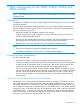
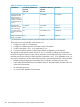

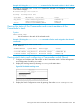
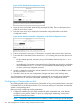
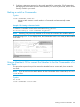
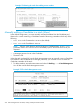

Example 174 Viewing the stack after adding a new member
Manually adding a Candidate to a stack (Menu)
In the default configuration, you must manually add stack Members from the Candidate pool.
Reasons for a switch remaining a Candidate instead of becoming a Member include any of the
following:
• Auto Grab in the Commander is set to No (the default).
• Auto Join in the Candidate is set to No.
NOTE: When a switch leaves a stack and returns to Candidate status, its Auto Join
parameter resets to No so that it will not immediately rejoin a stack from which it has just
departed.
• A Manager password is set in the Candidate.
• The stack is full.
Unless the stack is already full, use the Stack Management screen to manually convert a Candidate
to a Member. If the Candidate has a Manager password, you will need to use it to make the
Candidate a Member of the stack.
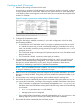
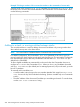
1. To add a Member, start at the Main Menu and select: 9. Stacking... —> 4. Stack Management
You will then see the Stack Management screen.
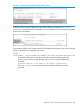
Example 175 The Stack Management screen
270 Stack management for the 3500, 3500yl, 6200yl and 6600 switches