
Advanced Traffic Management Guide K/KA/KB.15.15
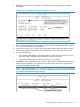
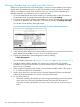
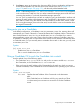
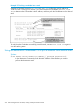

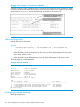
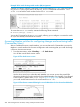

Example 177 Pushing a candidate into a stack
Suppose a Candidate named North Sea with Auto Join off and a valid IP address of
10.28.227.104 is running on a network. You could Telnet to the Candidate, use show stack
all to determine the Commander's MAC address, and then push the Candidate into the desired
stack.
To verify that the Candidate successfully joined the stack, execute show stack all again to
view the stacking status.
Using the destination Commander CLI to pull a member from another stack
Syntax:
stack member switch-number mac-address [ password password-str]
In the destination Commander, finds the MAC address of the Member you want to
pull into the destination stack.
274 Stack management for the 3500, 3500yl, 6200yl and 6600 switches