
Advanced Traffic Management Guide K/KA/KB.15.15

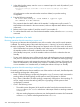
1. In the global config context, enter the remove command option for switch B (member 3) and
switch C (member 2):
HP Stack 3800(config)#: stack member 3 remove HP Stack 3800(config)#: stack member
2 remove
All configurations on the removed member switch are deleted, not just the stacking
configuration.
2. Enter the following command:
HP Stack 3800(config)#: stack member 2 type B's type
mac-address B's MAC address
This command clears the MAC address of the member 2 configuration to allow switch C’s
MAC address to be entered in the next command, without a duplicate MAC address occurring
in the stack.
3. Reboot switch B (new member 2) and then switch C (new member 3).
4. To confirm that each switch now has the desired member number, enter the show stacking
command.
Restoring the operation of a stack
Restoring operation after disconnecting a power cord
If a power cord becomes disconnected from one of the switches in the stack, the stack operation
is affected. The stacking status of the switch that lost power is “Missing.” Its record is retained in
the stack configuration. The effect of the power loss depends on the role of the switch in the stack.
• If the Commander loses power, the Standby switch takes over as the Commander and one of
the member switches in the stack is elected as the new Standby.
• If the Standby loses power, one of the member switches in the stack is elected as the new
Standby.
• For any switch that loses power, all the network ports and stacking ports are non-operational
until power is restored to the switch and it rejoins the stack. This affects the stacking topology.
• Reconnecting the power cord restores the operation of the switch, however, if the switch was
either the Commander or the Standby, then it returns in a different role if the topology has 3
or more members. In a 2-member stack, a Standby that reboots will rejoin as Standby.
Restoring operation after disconnecting a stacking cable
If a stacking cable becomes disconnected from one of the switches in the stack, the effect depends
on the stacking topology that is being used:
• Mesh—The stack topology is temporarily changed to a ring. To recover, simply reconnect the
stacking cable; the mesh topology and the previous stack configuration is restored.
• Ring—There is little effect. The stack topology is temporarily changed to a chain topology. To
recover, simply reconnect the stacking cable; the ring topology and the previous stack
configuration is restored.
• Chain—The following occurs:
The smaller section (fragment) of the stack that results from the disconnection becomes
Inactive (the Stack Status value shown in the output of the show stacking command
is Inactive.
◦
◦ If the two resulting fragments are the same size, the fragment that contains the Commander
will be Active, and the other fragment becomes Inactive.
296 Stack management for the 3800 switches