
Advanced Traffic Management Guide K/KA/KB.15.15


Syntax:
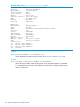
show stacking
Shows the current state of the stack.
Example 187 Viewing show stacking summary output
HP-Stack-3800#: show stacking
Stack ID : 00011cc1-de4d4740
MAC Address : 1cc1de-4d474b
Stack Topology : Unknown
Stack Status : Fragment Active
Split Policy : All-Fragments-Up
Uptime : 0d 8h 6m
Software Version : KA.15.11.0000x
Mbr
ID Mac Address Model Pri Status
--- ------------- -------------------------------------- --- ---------------
1 1cc1de-4d4740 HP J9574A 3800-48G-PoE+-4SFP+ Switch 128 Missing
2 1cc1de-4d7400 HP J9576A 3800-48G-4SFP+ Switch 128 Commander
3 1cc1de-4ddc00 HP J9575A 3800-24G-2SFP+ Switch 128 Missing
If stacking is disabled on the switch, the show stacking command displays this message:
Stacking is disabled.
Possible values for the various parameters are:
• Stack Topology: Chain, Ring, Mesh, Unknown
• Stack Status: Active, Fragment Active, Fragment Inactive
• Pri (Priority): 1 - 255>
• Status: Commander, Standby, Member, Standby Booting, Booting, Missing, Not Joined, Failed
Syntax:
show stacking detail
Shows the same output as the show stacking command, but with much more
information about each device's stack port and connectivity, CPU state, uptime,
and so on.
Monitoring stacking 299