
Advanced Traffic Management Guide K/KA/KB.15.15
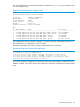
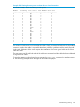

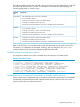

Example 215 Viewing show interfaces brief output for port 3/10
HP Switch(config)#: show interfaces brief 3/10
Status and Counters - Port Status
| Intrusion MDI Flow Bcast
Port Type | Alert Enabled Status Mode Mode Ctrl Limit
------------ --------- + --------- ------- ------ ---------- ---- ---- -----
3/10 100/1000T | No Yes Down 1000FDx off 0
Similarly, CLI commands requiring specific port (interface) numbers on an HP 3800 switch configured
for stacking require the modified port designations. For example, to enter the port context for port
10 on stack member 2, enter this command:
HP Switch(config)#: interface 2/10 HP Switch(eth-2/10)#:_
In the output containing designated port numbers for an HP 3800 switch configured for stacking,
the port numbers are likewise listed in the modified format.
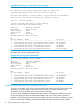
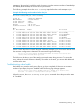
Example 216 Viewing show interfaces config output
HP Switch(config)#: show interfaces config
Port Settings
Port Type | Enabled Mode Flow Ctrl MDI
------ --------- + ------- ------------ --------- ----
1/1 100/1000T | Yes Auto Disable Auto
1/2 100/1000T | Yes Auto Disable Auto
1/3 100/1000T | Yes Auto Disable Auto
.
.
.
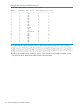
2/1 100/1000T | Yes Auto Disable Auto
2/2 100/1000T | Yes Auto Disable Auto
2/3 100/1000T | Yes Auto Disable Auto
2/4 100/1000T | Yes Auto Disable Auto
.
.
.
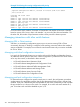
Attempting to enter a CLI command for a port on a stack member without using the modified port
number format generates a “Module not present...” message such as the following:
HP Switch(config)#: interface 10Module not present for port or invalid port: 10 HP
Switch(config)#:
LACP support
LACP trunking can support up to 144 trunks in a stacking configuration, each with up to eight links
(ports) per trunk.
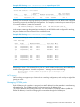
Managing OOBM ports
Each OOBM port of a member is assigned one MAC address from that member's manufacturing
allocated range. The OOBM port also can be assigned an IP address (IPv4
/v6/DHCP/Manual/Auto-Config/LinkLocal). The commander's OOBM IP address (called the
Global IP address) is used for managing the commander through the OOBM port.
Managing interactions with other switch features 319