
Advanced Traffic Management Guide K/KA/KB.15.15
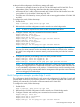


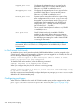
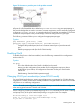
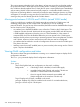

Figure 79 Customer or provider ports in the provider network
All ports of a QinQ-enabled device default to provider-network. Any ports participating in
the provider bridge that are used to connect to customer equipment, must be manually configured
as port-type customer-network. In a mixed mode device, ports that are members of C-VLANs
and that do not participate in the provider-bridge cannot be configured to any port-type.
The following command allows you to configure the appropriate port-type.
Syntax:
[no] interface [port-list] | Trkx
qinq port-type { customer-network | provider-network }
Configures the specified ports/trunks as a customer network port or provider network
port.
Default: port-type provider (for QinQ S-VLAN mode)
Disabling QinQ
To disable QinQ once it has been enabled, issue the following commands from configuration
mode on the CLI.
Syntax:
no qinq
This is the default mode when QinQ is disabled on the switch.
Moving into this configuration from another QinQ configuration requires a reboot
to take effect. Upon reboot, all configuration information for the prior QinQ mode
will be lost.
Default setting. Standard VLAN operations apply.
Changing VLAN port memberships (mixed VLAN mode)
On mixed VLAN mode devices, certain per-port features are not supported on S-VLANs that are
supported on C-VLANs. Ports that are currently members of a regular VLAN can move to an S-VLAN
only if there is no conflicting configuration.
NOTE: To avoid a misconfiguration, HP recommends that you use a default interface configuration
when moving ports between C-VLANs and S-VLANs.
When configuring S-VLAN port memberships using the svlan command, the CLI issues a warning
and prompt if any of the ports listed already belong to a regular VLAN. For example:
HP Switch(config)#: svlan 200 tagged a1,a2
Ports a1, a2 will lose their cvlan memberships if any.
Do you want to continue: y/n?
Disabling QinQ 329