
Advanced Traffic Management Guide K/KA/KB.15.15



NOTE: You can configure multiple class-action statements to include different
classes in a policy. The execution of actions is performed in the order in which the
class-actions are numerically listed.
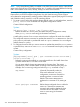
action action-name [action action-name ...]
The action keyword configures the action specified by the action-name
parameter. The action is executed on any packet that matches the match criteria
in the class. The action is not executed on packets that match ignore criteria. You
can configure more than one action for a class. The complete no form of the class
action command or the no seq-number command removes an action from the
policy configuration.
Be sure to enter a class and its associated actions in the precise order in which you
want packets to be checked and handled by class action commands.
3. (Optional) To configure adefault class, enter the default-class command and specify one
or more actions to be executed on packets that are not matched and not ignored.
Context: Policy configuration
Syntax:
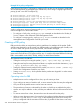
[no] default-class action action-name [action action-name ...]
Configures a default class to be used to execute one or more actions on packets
that are not matched nor ignored in any of the class configurations in a policy. The
default-class action command supports only the feature-specific commands
supported in the class actioncommand.
The default class manages packets that do not match the match or ignore criteria
in all classes in a policy, and otherwise would have no actions performed on them.
The default class differs from other classes because it contains no match/ignore
statements and uses implicit match ipv4 any any and match ipv6 any any
statements to manage all unmatched packets. If you do not configure a default
class, unmatched and unignored packets are transmitted without an action performed
on them.
4. Enter the exit command to exit the policy configuration context.
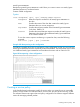
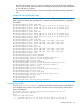
To display a policy configuration, enter the show policy policy-name
feature-name command where feature-name is a software feature (such as
qos, mirror, or pbr) that supports classifier-based configuration.
To edit a policy configuration, re-enter the policy context (policy command) and
modify class-action statements.
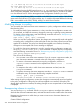
To resequence the order in which class-action statements are listed, enter the
resequence command.
Creating a service policy 357