
Advanced Traffic Management Guide K/KA/KB.15.15



The configured actions are executed on packets that arrive on the ports associated with the
source zone and are destined for ports associated with the destination zone.
You cannot configure intercept rules for the BYPASS zone class. As such, traffic to and from
the BYPASS zone cannot be intercepted.
3. Enter the exit command to exit the policy configuration context.
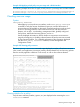
4. To display a policy configuration, enter the show policy policy-name command.
To edit a policy configuration, re-enter the policy context (policy command) and modify
class-action statements.
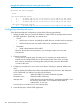
Example 228 Forwarding zone traffic
In the following policy configuration, traffic being sent from the internal zone to the external zone
is intercepted, so that it can be forwarded to an application that is running on an HP AllianceONE
Extended Services zl Module.
HP Switch(config)#: class zone internal
HP Switch(config-class)#: port-list a10-a24
HP Switch(config-class)#: exit
HP Switch(config)#: class zone external
HP Switch(config-class)#: port-list a1-a4
HP Switch(config-class)#: exit
HP Switch(config)#: policy zone Firewall
HP Switch(policy-config)#: class zone internal external action intercept unidirectional
HP Switch(policy-config)#: exit
Modifying zones and policies
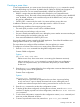
You can modify the zones and class-action statements in a zone policy configuration without
removing them from the policy:
• To modify the ports associated with a zone, enter the class zone classname command.
Remember that the classname you entered is case sensitive. From the class-configuration
context, make the necessary changes by removing or adding ports. (To display a class
configuration, enter the show class zone classname command.)
When you exit class configuration context, the changes are automatically saved and applied
to existing policy configurations on the switch that use the class if the policies have not been
applied to a ONE application. If a policy has already been applied, the editing changes are
not accepted, and an error message is displayed.
• To modify the class-action statements in a policy, enter the policy policy-name command.
(To display a policy configuration, enter the show policy policy-name command as
shown.) From the policy-configuration context, complete one of the following:
• Enter a new class-action statement. If you do not include a sequence number, the new
class-action statement is inserted at the end of the policy configuration.
• Remove a class-action statement by entering the no sequence-number command.
• Replace an existing class-action statement by:
• Entering the no sequence-number command to delete the entry.
• Entering a new class zone source zone name destination zone name
action intercept unidirectional command.
When you exit the policy-configuration context, the changes are automatically applied to the policy
configuration if the policy has not been applied to an interface. If the policy has already been
applied to an interface, the editing changes are not accepted and an error message is displayed.
Modifying zones and policies 367