
Advanced Traffic Management Guide K/KA/KB.15.15
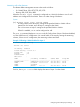
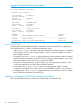


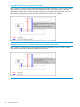

Example 26 Switch configuration
You have configured a VLAN named My_VLAN with a VID of 100 and want to configure the switch
to do the following:
• Use My_VLAN as a Management VLAN (tagged, in this case) to connect port A1 on switch
"A" to a management station. The management station includes a network interface card with
802.1Q tagged VLAN capability.
• Use port A2 to extend the Management VLAN to port B1 which is already configured as a
tagged member of My_VLAN, on an adjacent HP switch that supports the Management VLAN
feature.
HP Switch (config)#: management-vlan 100
HP Switch (config)#: vlan 100 tagged a1
HP Switch (config)#: vlan 100 tagged a2
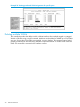
Example 27 Configuration Example
Obtaining an IP address using DHCP
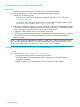
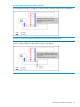
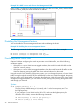
Use DHCP to obtain an IPv4 address for your Management VLAN or a client on that VLAN. The
following examples illustrate when an IP address will be received from the DHCP server.
Obtaining an IP address using DHCP 37