
Advanced Traffic Management Guide K/KA/KB.15.15





Port monitoring
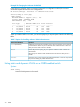
If you designate a port on the switch for network monitoring, this port will appear in the PortVLAN
Assignment screen and can be configured as a member of any VLAN. For information on how
broadcast, multicast, and unicast packets are tagged inside and outside of the VLAN to which the
monitor port is assigned, see the Management and Configuration Guide for your switch.
Jumbo packet support
Jumbo packet support is enabled per-VLAN and applies to all ports belonging to the VLAN.
VLAN restrictions
• A port must be a member of at least one VLAN. In the factory default configuration, all ports
are assigned to the default VLAN (DEFAULT_VLAN; VID=1).
• A port can be a member of one untagged, port-based VLAN. All other port-based VLAN
assignments for that port must be tagged. The "Untagged" designation enables VLAN operation
with non 802.1Q-compliant devices.
• A port can be an untagged member of one protocol-based VLAN of each protocol type. When
assigning a port to multiple, protocol-based VLANs sharing of the same type, note that the
port can be an untagged member of only one such VLAN.
• With routing enabled on the switch, the switch can route traffic between:
Multiple, port-based VLANs•
• A port-based VLAN and an IPv4 protocol-based VLAN
• A port-based VLAN and an IPv6 protocol-based VLAN
• An IPv4 protocol-based VLAN and an IPv6 protocol VLAN
Other, routable, protocol-based VLANs must use an external router to move traffic between
VLANs. With routing disabled, all routing between VLANs must be through an external router.
• Prior to deleting a static VLAN, you must first re-assign all ports in the VLAN to another VLAN.
You can use the no vlan vid command to delete a static VLAN.
• Protocol-based VLANs, port-based VLANs and LLDP radio port VLANs cannot run concurrently
with RPVST+.
Migrating Layer 3 VLANs using VLAN MAC configuration
HP switches provide for maintaining Layer 3 VLAN configurations when migrating distribution
routers in networks not centrally managed, by configuring the MAC address of the previous router
on the VLAN interfaces of the HP routing switch.
VLAN MAC address reconfiguration
HP switches use one unique MAC address for all VLAN interfaces. If you assign an IP address to
a VLAN interface, ARP resolves the IP address to the MAC address of the routing switch for all
incoming packets.
The Layer 3 VLAN MAC Configuration feature allows you to reconfigure the MAC address used
for VLAN interfaces, using the CLI. Packets addressed to the reconfigured Layer 3 MAC address,
such as ARP and IP data packets, are received and processed by the HP routing switch.
Packets transmitted from the routing switch (packets originating from the router and forwarded
packets) use the original HP Switch MAC address as the source MAC address in Ethernet headers.
ARP reply packets use the reconfigured MAC address in both the:
• ARP Sender MAC address field
• Source MAC address field in the Ethernet frame header
62 Static Virtual LANs