
Advanced Traffic Management Guide K/KA/KB.15.15
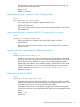
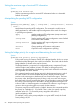
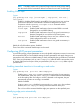

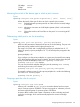

Enables or disables the sending of errant BPDU traps.
CAUTION: This command should only be used to guard edge ports that are not expected to
participate in STP operations. Once BPDU protection is enabled, it will disable the port as soon
as any BPDU packet is received on that interface.
Example 60 Configuring BPDU protection
To configure BPDU protection on ports 1 to 10 with SNMP traps enabled, enter:
HP Switch(config)#: spanning-tree 1-10 bpdu protection
HP Switch(config)#: spanning-tree trap errant-bpdu
The following steps will then be set in progress:
1. When an STP BPDU packet is received on ports 1-10, STP treats it as an unauthorized
transmission attempt and shuts down the port that the BPDU came in on.
2. An event message is logged and an SNMP notification trap is generated.
3. The port remains disabled until re-enabled manually by a network administrator using the
interface port-list enable command.
NOTE: To re-enable the BPDU-protected ports automatically, configure a timeout period using
the spanning-tree bpdu-protection-timeout command.
Viewing BPDU protection status
Syntax:
show spanning-tree bpdu-protection
Displays a summary listing of ports with BPDU protection enabled. To display
detailed per port status information, enter the specific port numbers as shown here.
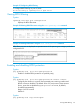
Figure 13 Viewing BPDU protection status
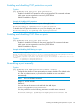
BPDU protected ports are displayed as separate entries of the spanning tree category
within the configuration file.
Figure 14 Viewing BPDU filters using the show configuration command
88 Multiple instance spanning tree operation