
Advanced Traffic Management Guide K/KA/KB.15.15




The priority component of the port's Port Identifier is set. The Port Identifier is a
unique identifier that helps distinguish this switch's ports from all others. It consists
of the priority value with the port number extension—PRIORITY:PORT_NUMBER. A
port with a lower value of Port Identifier is more likely to be included in the active
topology.
This priority is compared with the priorities of other ports in the IST to determine
which port is the root port for the IST instance. The lower the priority value, the
higher the priority. The IST root port (or trunk) in a region provides the path to
connected regions for the traffic in VLANs assigned to the region's IST instance.
The priority range for a port in a given MST instance is 0 - 240. However, this
command specifies the priority as a multiplier (0 - 15) of 16. When you specify a
priority multiplier of 0 - 15, the actual priority assigned to the switch is:
(priority-multiplier) x 16
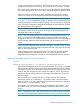
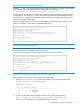
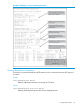
Example 67 Setting priority for specified ports for an IST
Configuring 5 as the priority multiplier on a given port in the IST instance for a
region creates an actual priority setting of 80. After specifying the port priority
multiplier for the IST instance, the switch displays the actual port priority, not the
multiplier, in the show spanning-tree instance ist or show
spanning-tree port-list instance ist displays. You can view the actual
multiplier setting for ports in the IST instance by executing show running and
looking for an entry in this format:
spanning-tree port-list priority priority-multiplier
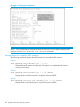
So configuring port A2 with a priority multiplier of 2 in the IST instance, results in
this line in the show running output:
spanning-tree A2 priority 2
Enabling or disabling spanning tree operation
This command enables or disables spanning tree operation for any spanning tree protocol enabled
on the switch. Before using to enable spanning tree, ensure that the right version is active on the
switch.
Syntax:
[no] spanning-tree
Enables or disables spanning tree. Enabling spanning tree with MSTP configured,
implements MSTP for all physical ports on the switch according to the VLAN
groupings for the IST instance and any other configured instances.
Disabliing MSTP removes protection against redundant loops that can significantly
slow or halt a network.
This command simply turns spanning tree on or off. It does not change the existing
spanning tree configuration.
NOTE: The convergence time for implementing MSTP changes can be disruptive to your network.
To minimize such disruption, consider using the spanning-tree pending command.
Enabling an entire MST region at once or exchanging one region configuration for
another
This operation exchanges the currently active MSTP configuration with the currently pending MSTP
configuration, making it possible to implement a new MSTP configuration with minimal network
disruption or to exchange MSTP configurations for testing or troubleshooting purposes.
Enabling or disabling spanning tree operation 93