
Advanced Traffic Management Guide K/KA/KB.15.15
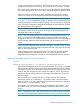


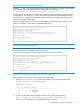


Example 68 Mapping VLANs to MSTP Instance
If VLANs 1, 5, and 7 are currently present and you enter the following command, all the VLANs
from 1 through 10 are included, even those VLANs that are not present.
HP Switch(config)#: spanning-tree instance 1 vlan 1-10
On HP switches other than those covered by this guide, only the VLANs that are present will be
included, that is, only VLANs 1, 5, and 7. The switch will map these VLANs to MSTP Instance 1,
which results in a Configuration Digest that is not the same as the Configuration Digest for the
switches running this enhancement.
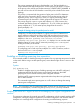
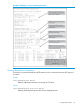
Below, the example shows an MSTP instance configured with the VLAN range option. All the
VLANs are included in the instance whether they exist or not.
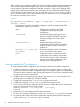
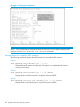
Example 69 Configuration Digest value
The Configuration Digest value shown below is not the same as in the above example indicating
that these switches do not operate in the same instance.
The Common Spanning Tree (CST) will still have the correct root associations.
Saving the current configuration before a software upgrade
Before updating to a new version of software, follow these steps:
1. Enter the show config files command to display your current configuration files:
HP Switch(config)#: show config files
Configuration files:
id | act pri sec | name
---+-------------+--------------------
1 | * * * | config1
2 | | config2
3 | |
2. To save a configuration file for software version K.12.43, enter this command:
HP Switch(config)#: copy config config1 config configK1243.cfg
Choose any name for the saved configuration file that you prefer.
Preconfiguring an MSTP regional topology 97