
IPv6 Configuration Guide K/KA/KB.15.15



Enabling autoconfiguration of a global unicast address and a default router
identity on a VLAN
Enabling autoconfig or rebooting the switch with autoconfig enabled on a VLAN causes the switch
to configure IPv6 addressing on the VLAN using RAs and an EUI-64 interface identifier.
Syntax:
[no] ipv6 address autoconfig
Implements unicast address autoconfiguration as follows:
• If IPv6 is not already enabled on the VLAN, enables IPv6 and generates a
link-local ( EUI-64) address.
• Generates router solicitations (RSs) on the VLAN.
• If an RA is received on the VLAN, the switch uses the route prefix in the RA to
configure a global unicast address. The interface identifier for this address is
the same as the interface identifier used in the current link-local address at the
time the RA is received. This can be either a statically configured or the
(automatic) EUI-64 interface identifier, depending on how the link-local address
was configured.
If an RA is not received on the VLAN after autoconfig is enabled, a link-local
address is present, but no global unicast addresses are autoconfigured.
NOTE: If a link-local address is already configured on the VLAN, a later,
autoconfigured global unicast address, uses the same interface identifier as
the link-local address.
Autoconfigured and DHCPv6-assigned global unicast addresses with the same
prefix are mutually exclusive on a VLAN. On a given switch, if both options
are configured on the same VLAN, only the first to acquire a global unicast
address is used.
After verification of uniqueness by DAD, an IPv6 address assigned to a VLAN by
autoconfiguration is set to the preferred and valid lifetimes specified by the RA used
to generate the address and is configured as a preferred address.
Default: Disabled.
The no form of the command produces different results, depending on how IPv6 is
configured on the VLAN: If IPv6 was enabled only by the autoconfig command,
deleting this command disables IPv6 on the VLAN.
Viewing current IPv6 autoconfiguration settings
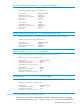
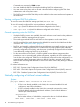
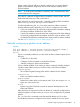
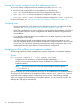
To view the current IPv6 autoconfiguration settings per-VLAN or per-tunnel, use show run.
To view all currently configured IPv6 unicast addresses, use the following:
• show ipv6
Lists IPv6 addresses for all VLANs configured on the switch.
• show ipv6 vlan vid
Lists IPv6 addresses configured on the VLAN.
• show ipv6 tunnel tunnel
Lists IPv6 addresses configured on the tunnel.
14 IPv6 Addressing Configuration