
Multicast and Routing Guide K/KA/KB.15.15
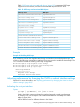
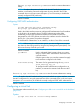

Example 88 Defining a range of internal routes to block from advertising to the backbone
For the same range of routes, you can use either of the following commands to block injection of
a range of summary routes (type-3 LSAs) from area 30 into the backbone.
HP Switch(config)# area 30 range 10.0.0.0/8 type no-advertise
HP Switch(config)# area 30 range 10.0.0.0/8 type no-advertise summary
Allowing or blocking a range of external routes available through an ASBR in an
NSSA
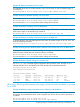
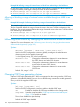
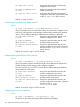
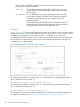
Example 89 Example of allowing or blocking a range of external RAs to the backbone
This example applies only to external routes that can be advertised from an NSSA to the backbone.
The first command defines the range of external routes in the Area 7 NSSA to advertise to the
backbone. The second command defines the range of external routes in the Area 7 NSSA to block
from advertising to the backbone.
HP Switch(config)# area 7 range 192.51.0.0/16 type nssa
HP Switch(config)# area 7 range 192.51.0.0/16 no-advertise type nssa
Influencing route choices by changing the administrative distance default
Optional: For more information, see “Influencing route choices by changing the administrative
distance default (optional)” (page 201).
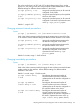
Syntax:
distance [ external | inter-area | intra-area 1-255 ]
Used in the OSPF configuration context to globally reconfigure the administrative
distance priority for the specified route type.
1 is the highest priority; 255 is the lowest priority.
external 1-255 Changes the administrative distance for routes between
the OSPF domain and other EGP domains.
inter-area 1-255 Changes the administrative distance for routes between
areas within the same OSPF domain.
intra-area 1-255 Changes the administrative distance for routes within
OSPF areas.
Default: 110; range: 1–255
Changing OSPF trap generation choices
Optional: OSPF traps (defined by RFC 1850) are supported on the routing switches. OSPF trap
generation is disabled by default, but you can use the following command to enable generation
of any or all of the supported OSPF traps.
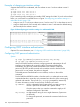
Syntax:
[no] trap [ trap-name | all ]
Used in the OSPF configuration context to enable or disable OSPF traps.
all Enables or disables all OSPF traps available on the routing switch.
trap-name Specifies a trap from table “OSPF traps and associated MIB objects”
(page 155) to enable or disable.
The no form disables the specified trap.
Default: All OSPF traps disabled
154 Open Shortest Path First Protocol (OSPF)