
Multicast and Routing Guide K/KA/KB.15.15
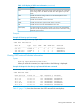
Changing the dead interval on a virtual link
For more information, see “Adjusting virtual link performance by changing the interface settings”
(page 203).
Syntax:
area area-id virtual link ip-address dead-interval 1-65535
Used in the router OSPF context on both ABRs in a virtual link to change the number
of seconds that a neighbor router waits for a hello packet from the specified interface
before declaring the interface "down." This should be some multiple of the hello
interval. The dead-interval setting must be the same on both ABRs on a given
virtual link.
area-id Specifies the OSPF area in which both ABRs in a given virtual link
operate. In this use, the area ID is sometimes termed "transit area
ID."
This value must be the same for both ABRs in the virtual link.
ip-address For an ABR in a given virtual link, this is the IP address used to
create the link on that ABR.
This IP address matches the IP address of the interface on the
opposite end of the virtual link. See the description of
ip-address in the syntax description under “Configuring a
virtual link” (page 159).
Use show ip ospf virtual-link ip-address to view the current setting.
Default: 40 seconds; range: 1–65535 seconds
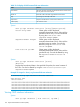
Indicating the hello interval on a virtual link
Syntax:
area area-id virtual link ip-address hello-interval 1-65535
Used in the router OSPF context on both ABRs in a virtual link to indicate the length
of time between the transmission of hello packets between the ABRs on opposite
ends of the virtual link.
The hello-interval setting must be the same on both ABRs on a given virtual link.
Default: 10 seconds; range: 1–65535 seconds
area-id Specifies the OSPF area in which both ABRs in a given virtual link
operate. In this use, the area ID is sometimes termed "transit area
ID."
This value must be the same for both ABRs in the virtual link.
ip-address For an ABR in a given virtual link, this is the IP address used to
create the link on that ABR. (This IP address matches the IP address
of the interface on the opposite end of the virtual link. See the
description of ip-address in the syntax description under
“Configuring a virtual link” (page 159).)
Use show ip ospf virtual-link ip-address to view the current setting.
Configuring a virtual link 161