
Multicast and Routing Guide K/KA/KB.15.15
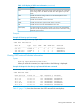

Example 91 show ip ospf interface command with passive configured on an interface
HP Switch(vlan-1)# show ip ospf interface
OSPF Interface Status
IP Address Status Area ID State Auth-type Cost Priority Passive
---------- ------ ------- ----- --------- ---- -------- -------
10.10.10.1 enabled 0.0.0.2 down none 1 1 Yes
10.12.13.1 enabled 0.0.0.2 wait none 1 1 No
You can display the OSPF passive information for a particular VLAN, as shown in Example 92
(page 165).
Example 92 show ip ospf interface command for a specific VLAN with passive configured on an
interface
HP Switch(config) show ip ospf interface vlan 4
OSPF configuration and statistics for VLAN 4
OSPF Interface Status for 10.10.10.1
IP Address: : 10.10.10.1 Status : enabled
AreaID : 0.0.0.2 Passive : Yes
State : DOWN Auth-type : none
Cost : 1 Chain :
Type : BCAST Priority : 1
Transit Delay : 1 Retrans Interval : 5
Hello Interval : 10 Rtr Dead Interval : 40
Designated Router: Events : 0
Backup Desig. Rtr: Passive : yes
Neighbors : 2
Configuring the calculation interval
Syntax:
[no] spf-throttle start-interval [1-600] wait interval [1-600]
max-wait-time [1-600]
Enables and configures SPF scheduling (throttling.) This delays SPF calculations
during periods of network topology changes.
SPF calculations occur at the interval set by the spf-throttle command. This
command is executed in ospf context.
Default: 5 seconds
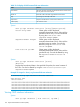
start-interval [1–600] Specifies the initial SPF schedule delay in
seconds.
wait-interval [1–600] specifies the amount of time to wait until the
next SPF calculation occurs, in seconds.
max-wait-time [1–600] Specifies the maximum time between two
consecutive SPF calculations, in seconds.
The current SPF interval is calculated; it will be twice as long as the previous interval
until this value reaches the maximum-wait-time specified.
Configuring the calculation interval 165