
Multicast and Routing Guide K/KA/KB.15.15
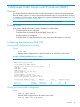
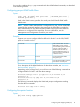

Example 5 Displaying IGMP groups address information
HP Switch(vlan-2)# show ip igmp groups
IGMP Group Address Information
VLAN ID Group Address Expires UpTime Last Reporter | Type
------- -------------- ------------- --------------- --------------+ ------
22 239.20.255.7 1h 2m 5s 1h 14m 5s 192.168.0.2 | Filter
22 239.20.255.8 1h 2m 5s 1h 14m 5s 192.168.0.2 | Standard
22 239.20.255.9 1h 2m 5s 1h 14m 5s 192.168.0.2 | Static
Viewing IGMP group information for a VLAN with a filtered address
Syntax:
show ip igmp vlan vid group ip-addr
Example:
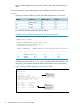
Example 6 Group information for a VLAN with a filtered address group
HP Switch(config)# show ip igmp vlan 22 group 239.20.255.7
IGMP Service Protocol Group Info
VLAN ID: 22
VLAN NAME: VLAN-2
Filtered Group Address: 239.20.255.7
Last Reporter: 192.168.0.2
Up Time: 1 hr 14 min 5 sec
Port| Port Type | Port Mode | Expires | Access
----+---------------+ ----------+-------------------------------------
A1 | 100/1000T | Auto | 1hr 2min 5sec | Host
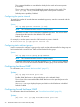
Enabling or disabling IGMP on a VLAN
You can enable IGMP on a VLAN, along with the last-saved or default IGMP configuration
(whichever was most recently set), or you can disable IGMP on a selected VLAN.
Syntax:
[no] ip igmp
Enables IGMP on a VLAN. This command must be executed in a VLAN context.
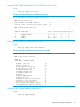
Example 7 Enable IGMP on VLAN 1
HP Switch(vlan-1)# vlan 1 ip igmp
– or –
ip igmp
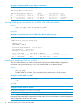
Example 8 Disable IGMP on VLAN 1
HP Switch(config)# no vlan 1 ip igmp
NOTE: If you disable IGMP on a VLAN and then later re-enable IGMP on that VLAN, the switch
restores the last-saved IGMP configuration for that VLAN. For more information, see the Management
and Configuration Guide for your switch.
18 Multimedia Traffic Control with IP Multicast (IGMP)