
Multicast and Routing Guide K/KA/KB.15.15
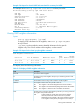
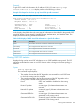
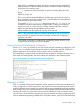

Example 116 Example of output for show ip ospf redistribute
HP Switch# show ip ospf redistribute
OSPF redistributing
Route type Status
---------- --------
connected enabled
static enabled
rip enabled
The display shows whether redistribution of each of the route types, connected, static, and RIP is
enabled.
Viewing OSPF redistribution filter (restrict) information
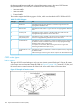
As described under “Configuring external route redistribution in an OSPF domain (optional)”
(page 148), you can configure the redistribution filters on the routing switch to restrict route
redistribution by OSPF.
To display the status of the OSPF redistribution filters, enter show ip ospf restrict at any
CLI context level.
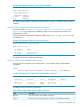
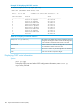
Example 117 Example of output for show ip ospf restrict
HP Switch# show ip ospf restrict
OSPF restrict list
IP Address Mask
--------------- ---------------
10.0.8.0 255.255.248.0
15.0.0.0 255.0.0.0
This display shows the configured restrict entries.
Viewing OSPF virtual neighbor information
If virtual links are configured on the routing switch, you can display OSPF virtual neighbor
information.
Syntax:
show ip ospf virtual-neighbor [[area area-id] | [ip-address]]
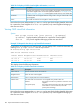
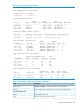
Example 118 Output for the show ip ospf virtual-neighbor command
OSPF Virtual Interface Neighbor Information
Router ID Area ID State IP Address Events
--------------- --------------- -------- --------------- --------
10.0.8.33 10.3.16.0 FULL 10.3.17.33 5
10.0.8.36 10.3.16.0 FULL 10.3.18.36 5
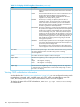
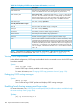
This display shows the following information.
Table 22 CLI display of OSPF virtual neighbor information
DescriptionField
The router ID of this virtual neighbor (configured.)Router ID
The area ID of the transit area for the virtual link to this neighbor (configured.)Area ID
Viewing OSPF information 183