
Multicast and Routing Guide K/KA/KB.15.15
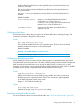
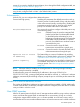
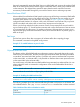

Example 10 IGMP proxy border IP address command
This example shows the IGMP proxy border IP addrses (111.11.111.111) being configured.
HP Switch(config)# igmp-proxy-domain Bob 111.11.111.111
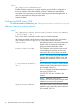
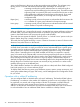
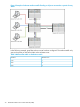
Example 11 Setting the lower and upper bounds for multicasting
This example shows the lower and upper boundaries of the multicast address range associated
with the domain named Bob.
HP Switch(config)# igmp-proxy-domain Bob 111.11.111.111 234.0.0.1
HP Switch(config)# igmp-proxy-domain Bob 111.11.111.111 236.1.1.1
Informs the VLAN which IGMP proxy domains to use with joins on the VLAN
This command is performed when in VLAN context mode. When a query occurs on the upstream
interface, an IGMP join is sent for all multicast addresses that are currently joined on the downstream
interface.
Syntax:
[no] igmp-proxy domain-name
The no version of the command with no domain name specified removes all domains
associated with this VLAN.
NOTE: Multiple different domains may be configured in the same VLAN context
where the VLAN is considered the downstream interface. The domain name must
exist prior to using this command to add the domain.
NOTE: If the unicast routing path to the specified IP address was through the specified VLAN,
no proxy IGMP would occur, that is, a proxy is not sent back out on the VLAN that the IGMP join
came in on.
If no unicast route exists to the border router, no proxy IGMP packets are sent.
Viewing the IGMP proxy data
Syntax:
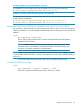
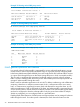
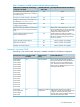
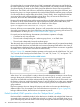
show igmp-proxy [ entries | domains | vlans ]
Shows the currently active IGMP proxy entries, domains, or VLANs.
Configuring IGMP proxy (CLI) 23