
Multicast and Routing Guide K/KA/KB.15.15
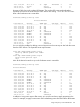
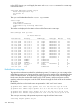
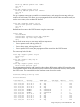
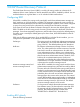
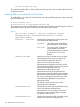
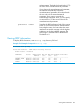
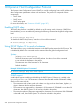
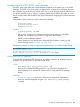
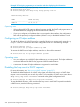

Example 127 Assigning a gateway to an interface and then displaying the information
HP Switch(vlan-22)ip bootp-gateway 12.16.18.33
HP Switch(vlan-22)# exit
HP Switch(config)# show dhcp-relay bootp-gateway vlan 22
BOOTP Gateway Entries
VLAN BOOTP Gateway
-------------------- ---------------
VLAN 22 12.16.18.33
Operating notes
• If the configured BOOTP gateway address becomes invalid, the DHCP relay agent returns to
the default behavior (assigning the lowest-numbered IP address.)
• If you try to configure an IP address that is not assigned to that interface, the configuration
fails and the previously configured address (if there is one) or the default address is used.
Configuring an IP helper address
To add the IP address of a DHCP server for a specified VLAN on a routing switch, enter the ip
helper-address command at the VLAN configuration level as in the following example:
HP Switch(config)# vlan 1
HP Switch(vlan-1)# ip helper-address ip-addr
To remove the DHCP server helper address, enter the no form of the command:
HP Switch(vlan-1)# no ip helper-address ip-addr
Operating notes
• You can configure up to 4000 IP helper addresses on a routing switch. The helper addresses
are shared between the DHCP relay agent and UDP forwarder feature.
• A maximum of sixteen IP helper addresses is supported in each VLAN.
Disabling the hop count in DHCP requests
For more information, see “Hop count in DHCP requests” (page 237).
To disable the default behavior of a DHCP relay agent so that the hop count in a DHCP client
request is not increased by one at each hop when it is forwarded to a DHCP server, enter the no
dhcp-relay hop-count-increment command at the global configuration level:
HP Switch(config)# no dhcp-relay hop-count-increment
To reset the default function, which increases the hop count in each DHCP request forwarded to
a DHCP server, enter the following command:
HP Switch(config)# dhcp-relay hop-count-increment
230 Dynamic Host Configuration Protocol