
Multicast and Routing Guide K/KA/KB.15.15
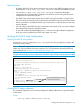
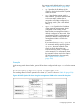
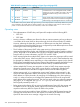
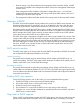
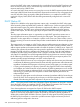

Displays the IP helper addresses of DHCP servers configured for all static VLANS
in the switch or on a specified VLAN, regardless of whether the DHCP relay feature
is enabled. The vlan vlan-id parameter specifies a VLAN ID number.
Example
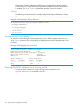
The following command lists the currently configured IP Helper addresses for VLAN
1.
Example 129 Displaying IP helper addresses
HP Switch(config)# show ip helper-address vlan 1
IP Helper Addresses
IP Helper Address
-----------------
10.28.227.97
10.29.227.53
Viewing the hop count setting
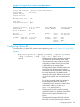
To verify the current setting for increasing the hop count in DHCP requests, enter the show
dhcp-relay command. The current setting is displayed next to DHCP Request Hop Count
Increment.
Example 130 Displaying hop count status
HP Switch# show dhcp-relay
Status and Counters - DHCP Relay Agent
DHCP Relay Agent Enabled : Yes
DHCP Request Hop Count Increment: Disabled
Option 82 Handle Policy : Replace
Remote ID : MAC Address
Client Requests Server Responses
Valid Dropped Valid Dropped
-------- --------- -------- ---------
1425 2 1425 0
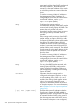
Viewing the MAC address for a routing switch
To view the MAC address for a given routing switch, execute the show
system-information command in the CLI.
232 Dynamic Host Configuration Protocol