
Multicast and Routing Guide K/KA/KB.15.15
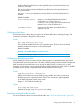
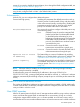
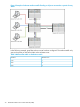

Example 12 Showing active IGMP proxy entries
HP Switch(config)# show igmp-proxy entries
Total number of multicast routes: 2
Multicast Address Border Address VID Multicast Domain
----------------- -------------- ----- ------
234.43.209.12 192.168.1.1 1 George
235.22.22.12 15.43.209.1 1 SAM
226.44.3.3 192.168.1.1 2 George
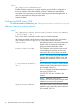
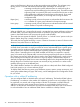
Example 13 Showing IGMP proxy domains
HP Switch(config)# show igmp-proxy domains
Total number of multicast domains: 5
Multicast Domain Multicast Range Border Address Active entries
--------------- ------------------- ---------------- -----
George 225.1.1.1/234.43.209.12 192.168.1.1 2
SAM 235.0.0.0/239.1.1.1 15.43.209.1 1
Jane 236.234.1.1/236.235.1.1 192.160.1.2 0
Bill ALL 15.43.209.1 0
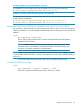
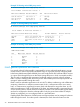
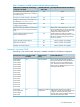
Example 14 Showing active IGMP proxy VLANs
HP Switch(config)# show igmp-proxy vlans
IGMP PROXY VLANs
VID Multicast Domain Active entries
------ ---------------- --------------
1 George 1
1 Sam 1
1 Jane 0
2 George 1
4 George 0
4 Bill 0
IGMP general operation and features
In a network where IP multicast traffic is transmitted for various multimedia applications, you can
use the switch to reduce unnecessary bandwidth usage on a per-port basis by configuring IGMP.
In the factory default state (IGMP disabled), the switch simply floods all IP multicast traffic it receives
on a given VLAN through all ports on that VLAN (except the port on which it received the traffic.)
This can result in significant and unnecessary bandwidth usage in networks where IP multicast
traffic is a factor. Enabling IGMP allows the ports to detect IGMP queries and report packets and
manage IP multicast traffic through the switch.
IGMP is useful in multimedia applications such as LAN TV, desktop conferencing, and collaborative
computing, where there is multipoint communication, that is, communication from one to many
hosts, or communication originating from many hosts and destined for many other hosts. In such
multipoint applications, IGMP is configured on the hosts, and multicast traffic is generated by one
or more servers (inside or outside of the local network.) Switches in the network (that support IGMP)
can then be configured to direct the multicast traffic to only the ports where needed. If multiple
VLANs are configured, you can configure IGMP on a per-VLAN basis.
Enabling IGMP allows detection of IGMP queries and report packets used to manage IP multicast
traffic through the switch. If no other querier is detected, the switch then also functions as the
24 Multimedia Traffic Control with IP Multicast (IGMP)