
Multicast and Routing Guide K/KA/KB.15.15
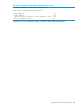

Example:
HP Switch(vlan-25-vrid-1)# no track
Viewing VRRP tracked entities
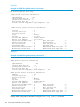
You can display the VRRP tracked entities by entering the command shown in this example.
Example 136 Example showing results of show vrrp tracked entities command
HP Switch(vlan-25-vrid-1)# show vrrp tracked-entities
VRRP Tracked entities
VLAN ID VR ID Type ID
---------- ---------- ---------- ------------------
25 1 port 7
25 1 port 12
25 1 port 13
25 1 port 14
25 1 vlan 1
Forcing the backup VR operating as master to relinquish ownership of the
VR instance
Syntax:
failover [with-monitoring]
The command is executed in VRID instance context
Forcing the backup VR to take ownership of the VR instance
Failback is disabled on the owner VR; it can be executed only on the backup VR. Failback can
occur only on a VR on which failover or failover with-monitoring has been executed.
Syntax:
failback
This command takes effect only if the backup VR instance has a higher priority than
the current owner, which is normal VRRP router behavior. The command is executed
in VRID instance context.
Configuring the Authentication Data Field
The null-auth-compatiblity command is used to allow inter-operation with other switches
that expect authentication data fields in VRRPv3 packets for IPv6. It is configured in the VR context.
This command allows compatibility with some Comware switches.
Syntax:
[no]null-auth-compatibility
When this command is enabled, authentication data is appended at the end of an
IPv6 VRRP packet that is being sent. The authentication data consists of 8 bytes of
zeros.
Viewing VRRP tracked entities 257