
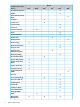
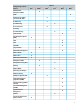
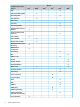
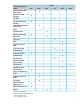
Software Feature Index-Extended


1 About Your Switch Manual Set
NOTE: For the latest version of all HP switch documentation, including Release Notes covering
recently added features, please visit the HP Networking web site at www.hp.com/Networking/
support.
Electronic Publications
The latest version of each of the publications listed below is available in PDF format on the HP
Networking web site, as described in the Note at the top of this page.
• HP Switch Software Access Security Guide: Explains how to configure access
security features and user authentication on the switch.
• HP Switch Software Advanced Traffic Management Guide: Explains how to
configure traffic management features such as VLANs, MSTP, QoS, and
Meshing.
• HP Switch Software Basic Operation Guide: Describes how to use the switch
interfaces and introduces basic operations.
• HP Switch Software Command Line Interface Reference Guide: Provides a
comprehensive description of CLI commands, syntax, and operations.
• HP Switch Software Comware CLI Commands in ProVision Software: Provides
the syntax, descriptions, and examples of Comware CLI commands that can
be executed in ProVision software. Includes related ProVision software
commands.
• HP Switch Software Event Log Message Reference Guide: Provides a
comprehensive description of event log messages.
• HP Switch Software Installation and Getting Started Guide: Explains how to
prepare for and perform the physical installation and connect the switch to
your network.
• HP Switch Software IPv6 Configuration Guide: Describes the IPv6 protocol
operations that are supported on the switch.
• HP Switch Software Management and Configuration Guide: Describes how
to configure, manage, and monitor basic switch operation.
• HP Switch Software Multicast and Routing Guide: Explains how to configure
IGMP, PIM, IP routing, and VRRP features.
• HP Switch Software Release Notes: Describes new features, fixes, and
enhancements that become available between revisions of the main product
guide.
4 About Your Switch Manual Set