
Ethernet SNMP Module Installation and Reference Guide ( J2603B) 1995-10
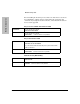
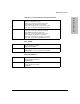


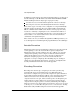


Before installing the modems (one attached to the hub and one attached to
the terminal/PC), configure them by either issuing the appropriate AT
command or by setting the modem’s switches, as described in the tables in
the rest of this appendix.
Hayes V-Series ULTRA Smartmodem 14400
At the hub end:
Issue the following AT command:
AT&FS0=1&D2&S2&Y0&W0
At the user end:
Issue the following AT command:
AT&F&Y0&WO (returns modem to factory default)
Hayes Smartmodem 2400
At the hub end:
Issue the following AT command:
AT&FE0S0=1&S1&C1&D2&Y0&W0
Then, connect the modem to the hub and power cycle the modem while
the hub is powered on.
At the user end:
Issue the following AT command:
AT&F&Y0&W0 (returns modem to factory default)
Multi Tech 14.4 (MT1432BA)
At the hub end: Issue the following AT command:
AT&FS0=1&W0
At the user end: Issue the following AT command:
AT&F&W0 (returns modem to factory default)
Modem Configuration
Modem Configuration
B-2