
HP Installation Guide, HP PCIe 2 port (AT111A/CN1100E) FlexFabric Adapter, Edition 2



2. Verify that the correct drivers appear for each installed adapter. If all drivers display, proceed
to the next section,
ioscan –kfnC fc
Class I H/W Path Driver S/W State H/W Type Description
==========================================================================
fc 0 40/0/0/2/0/0/2 fcoc CLAIMED INTERFACE HP AT111-60001 10Gb PCIe 2-port FlexFabric
(FCoE) Adapter
fc 1 40/0/0/2/0/0/3 fcoc CLAIMED INTERFACE HP AT111-60001 10Gb PCIe 2-port FlexFabric
(FCoE) Adapter
NOTE: The third column represents the hardware path of the slot in which the adapter is
installed. The hardware path is different for each installed adapter.
If an installed Fibre Channel adapter requires the fcoc driver and the appropriate driver
does not appear as shown above, the driver is not installed.
If the ioscan output is similar to the following:
fc 0/0/2/1/0 UNCLAIMED UNKNOWN
HP-UX detected the adapter, but the drivers are not properly loaded.
If the correct driver is installed, but the adapter does not show in the ioscan output, the driver
is not recognizing the adapter.
3. If the ioscan output indicates a problem, contact HP for assistance.
Verify Fibre Channel Connectivity
Once your HP Fibre Channel Mass Storage software and hardware are installed and running,
follow these steps to verify connectivity:
1. Check the state of all Fibre Channel hardware and interfaces. Enter the ioscan command
from above and verify that the S/W State is CLAIMED.
If the Fibre Channel device file has not been created, enter the following commands:
# insf -e
# ioscan -kfnC fc
2. Verify that all devices you attached to the Fibre Channel adapter are listed in the ioscan
output. For example, the ioscan output may look like the following:
disk 1203 64000/0xfa00/0x178 esdisk CLAIMED DEVICE
DEVICE MSA2324fc VOLUME
/dev/disk/disk1203 /dev/rdisk/disk1203
If all attached devices are not listed, or appear as UNCLAIMED, contact HP for assistance.
Interpreting hardware paths
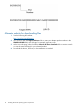
The following example illustrates the Fibre Channel hardware path format:
Verify Fibre Channel Connectivity 15