
- Hewlett-Packard Broadband Service Analyzer User's Guide





2-37
Using the Analyzer
To Run SMARTtests and Predefined Macros
2 Using the Analyzer
Before the SMARTtest starts to run, the analyzer checks to make sure the
affected ports are configured in full duplex mode and that there are no
alarms present. If either of these conditions is not met, an error message
appears and the SMARTtest does not run.
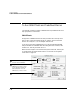
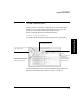
The figure at the bottom of the window starts running to indicate that the
SMARTtest has started, and relevant details are shown on the window as
the SMARTtest runs. The SMARTtest continues to run until it completes
or fails, as specified by the pass criteria. To stop the SMARTtest before
completion, click the Stop button.
When the SMARTtest completes, the figure jumps up if the SMARTtest
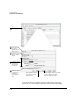
passes, or falls down if it fails. The SMARTtest Results window also
appears indicating whether the SMARTtest passed or failed, and if
relevant, why it failed.
The analyzer automatically captures data for each SMARTtest. If the
SMARTtest fails, you might find this captured information useful for
diagnostic purposes.
Predefined Macros
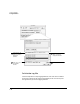
Select the predefined macro you want to run from the Test pull-down list
at the top of the main screen, then click the Test button to play the
macro. The predefined macro window is displayed; showing any results or
output that the predefined macro produces.
If you are not sure which predefined macro to run, see the User Online
Help.
Note When you start and stop a SMARTtest, you also start and stop Link Monitor and
the analyzer’s measurement system.