
HP FlexFabric 11900 Switch Series Installation Guide


75
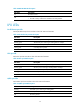
Table 38 MPU ACTIVE LED description
LED status Descri
p
tion
On The MPU is active.
Off
• The MPU is in standby status.
• The MPU is faulty. Examine the card LED for an MPU problem.
LPU LEDs
RJ-45 Ethernet port LED
Each RJ-45 Ethernet port has one LED to show link status and activities.
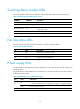
Table 39 RJ-45 Ethernet port LED description
LED status Descri
p
tion
Flashing yellow The Ethernet port is receiving or sending data at 100/1000 Mbps.
Flashing green The Ethernet port is receiving or sending data at 10 Gbps.
Steady yellow A 100/1000 Mbps link is present.
Steady green A 10 Gbps link is present.
Off No link is present.
SFP+ port LED
Each SFP+ port has one LED to show link status and activities.
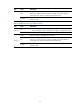
Table 40 SFP+ port LED description
LED status Descri
p
tion
Flashing yellow The SFP+ port is receiving or sending data at 100/1000 Mbps.
Flashing green The SFP+ port is receiving or sending data at 10 Gbps.
Steady yellow A 100/1000 Mbps link is present.
Steady green A 10 Gbps link is present.
Off No link is present.
QSFP+ port LEDs
Each QSFP+ port has one LED to show link status and activities.
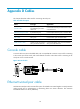
Table 41 QSFP+ port LED description
LED status Descri
p
tion
Flashing The QSFP+ port is receiving or sending data.
On A link is present, but no data is being received or sent.
Off No link is present.