
R211x-HP Flexfabric 11900 ACL and QoS Command Reference

95
Syntax
queue queue-id { sp | wfq group group-id { byte-count | weight } schedule-value | wrr group group-id
{ byte-count | weight } schedule-value }
undo queue queue-id
Default
In a queue scheduling profile, SP queuing is used for all queues.
Views
Queue scheduling profile view
Predefined user roles
network-admin
mdc-admin
Parameters
queue-id: Specifies a queue by its ID in the range of 0 to 7.
sp: Enables SP for the queue.
wfq: Enables WFQ for the queue.
group group-id: Assigns the queue to a group specified by its ID. The value range is 1 to 2. If you do not
specify the option for a WFQ queue, the queue is assigned to group 1.
byte-count: Allocates bandwidth to queues in terms of bytes.
weight: Allocates bandwidth to queues in terms of packets.
schedule-value: Specifies the scheduling weight in the range of 1 to 127.
wrr: Enables WRR for the queue.
Usage guidelines
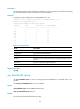
The queue-id argument can be either a number or a keyword. Table 32 shows the number-keyword map.
Examples
# Create queue scheduling profile myprofile and configure queue 0 to use SP.
<Sysname> system-view
[Sysname] qos qmprofile myprofile
[Sysname-qmprofile-myprofile] queue 0 sp
# Create queue scheduling profile myprofile and configure it as follows:
• Configure queue 1 to use WRR.
• Set the scheduling weight to 10 for queue 1.
• Assign queue 1 to WRR priority group 1.
<Sysname> system-view
[Sysname] qos qmprofile myprofile
[Sysname-qmprofile-myprofile] queue 1 wrr group 1 weight 10
Related commands
• display qos qmprofile interface
• qos qmprofile