
R211x-HP Flexfabric 11900 ACL and QoS Command Reference


14
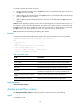
Table 5 Command output
Field Descri
p
tion
Interfaces Interface range for the resource.
Type
Resource type:
• VFP ACL—ACL rules for local QoS ID remarking before Layer 2
forwarding.
• IFP ACL—ACL rules applied to inbound traffic.
• IFP Meter—Traffic policing rules for inbound traffic.
• IFP Counter—Traffic counting rules for inbound traffic.
• EFP Meter—Traffic policing rules for outbound traffic.
• EFP Counter—Traffic counting rules for outbound traffic.
Total Total number of resource.
Reserved Number of reserved resource.
Configured Number of resource that has been applied.
Remaining Number of resource that you can apply.
Usage Percent of the used resource.
packet-filter
Use packet-filter to apply an ACL to an interface to filter packets.
Use undo packet-filter to remove an ACL application from an interface.
Syntax
packet-filter [ ipv6 ] { acl-number | name acl-name } { inbound | outbound } [ hardware-count ]
undo packet-filter [ ipv6 ] { acl-number | name acl-name } { inbound | outbound }
Default
An interface does not filter packets.
Views
Layer 2 Ethernet interface view, Layer 3 Ethernet interface view, VLAN interface view
Predefined user roles
network-admin
mdc-admin
Parameters
acl-number: Specifies an ACL by its number:
• 2000 to 2999 for IPv4 basic ACLs if the ipv6 keyword is not specified and for IPv6 basic ACLs if
the ipv6 keyword is specified.
• 3000 to 3999 for IPv4 advanced ACLs if the ipv6 keyword is not specified and for IPv6 advanced
ACLs if the ipv6 keyword is specified.
• 4000 to 4999 for Ethernet frame header ACLs. This entry is not displayed if the ipv6 keyword is
specified.