
R211x-HP Flexfabric 11900 ACL and QoS Command Reference

15
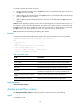
name acl-name: Specifies an ACL by its name. The acl-name argument is a case-insensitive string of 1 to
63 characters. It must start with an English letter. For a basic ACL or advanced ACL, if you do not specify
the ipv6 keyword, this option specifies the name of an IPv4 basic ACL or advanced ACL. If you specify
the ipv6 keyword, this option specifies the name of an IPv6 basic ACL or advanced ACL.
inbound: Filters incoming packets.
outbound: Filters outgoing packets.
hardware-count: Enables counting ACL rule matches performed in hardware. This keyword enables
match counting for all rules in an ACL, and the counting keyword in the rule command enables match
counting specific to rules. If the hardware-count keyword is not specified, rule matches for the ACL are
not counted.
Examples
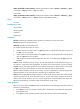
# Apply IPv4 basic ACL 2001 to filter incoming traffic on Ten-GigabitEthernet 1/0/1, and enable
counting ACL rule matches performed in hardware.
<Sysname> system-view
[Sysname] interface ten-gigabitethernet 1/0/1
[Sysname-Ten-GigabitEthernet1/0/1] packet-filter 2001 inbound hardware-count
Related commands
• display packet-filter
• display packet-filter statistics
• display packet-filter verbose
packet-filter default deny
Use packet-filter default deny to set the packet filtering default action to deny. The packet filter denies
packets that do not match any ACL rule.
Use undo packet-filter default deny to restore the default.
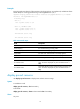
Syntax
packet-filter default deny
undo packet-filter default deny
Default
The packet filter permits packets that do not match any ACL rule.
Views
System view
Predefined user roles
network-admin
mdc-admin
Usage guidelines
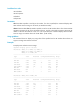
The packet filter applies the default action to all ACL applications for packet filtering. The default action
appears in the display command output for packet filtering.
Examples
# Set the packet filter default action to deny.