
R211x-HP Flexfabric 11900 ACL and QoS Command Reference

26
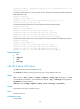
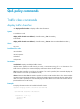
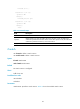
source-port operator port1 [ port2 ] | time-range time-range-name | vpn-instance vpn-instance-name ]
*
undo rule rule-id [ { { ack | fin | psh | rst | syn | urg } * | established } | counting | destination |
destination-port | dscp | flow-label | fragment | icmp6-type | routing | source | source-port |
time-range | vpn-instance ] *
Default
An IPv6 advanced ACL does not contain any rule.
Views
IPv6 advanced ACL view
Predefined user roles
network-admin
mdc-admin
Parameters
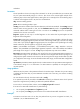
rule-id: Specifies a rule ID in the range of 0 to 65534. If no rule ID is provided when you create an ACL
rule, the system automatically assigns it a rule ID. This rule ID is the nearest higher multiple of the
numbering step to the current highest rule ID, starting from 0. For example, if the rule numbering step is
5 and the current highest rule ID is 28, the rule is numbered 30.
deny: Denies matching packets.
permit: Allows matching packets to pass.
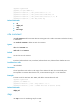
protocol: Specifies one of the following values:
• A protocol number in the range of 0 to 255.
• A protocol by its name: gre (47), icmpv6 (58), ipv6, ipv6-ah (51), ipv6-esp (50), ospf (89), tcp (6),
or udp (17) . The ipv6 keyword specifies all protocols.
You can set the protocol argument to one of the values in Table 10 to
match packets with the
corresponding IPv6 extended header.
Table 10 Protocol values of IPv6 extended headers
Value of the
protocol
ar
g
ument
IPv6 extended header
0 Hop-by-Hop Options Header
43 Routing Header
44 Fragment Header
50 Encapsulating Security Payload Header
51 Authentication Header
60 Destination Options Header
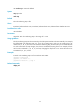
Table 11 describes the parameters that you can specify regardless of the value for the protocol argument.