
R211x-HP Flexfabric 11900 ACL and QoS Command Reference
45
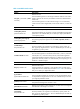
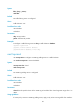
Syntax
filter { deny | permit }
undo filter
Default
No traffic filtering action is configured.
Views
Traffic behavior view
Predefined user roles
network-admin
mdc-admin
Parameters
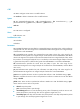
deny: Drops packets.
permit: Transmits the packets.
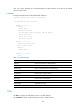
Examples
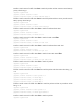
# Configure a traffic filtering action as deny in traffic behavior database.
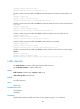
<Sysname> system-view
[Sysname] traffic behavior database
[Sysname-behavior-database] filter deny
nest top-most
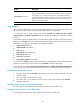
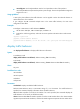
Use nest top-most to configure a VLAN tag adding action to a traffic behavior.
Use undo nest top-most to restore the default.
Syntax
nest top-most vlan vlan-id
undo nest top-most
Default
No VLAN tag adding action is configured.
Views
Traffic behavior view
Predefined user roles
network-admin
mdc-admin
Parameters
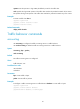
vlan-id vlan-id: Specifies the ID of the VLAN tag to be added. The vlan-id argument ranges from 1 to
4094.
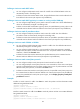
Usage guidelines
If a QoS policy contains a VLAN tag adding action, apply it only to the incoming traffic of an interface.