
R211x-HP Flexfabric 11900 ACL and QoS Command Reference


49
Usage guidelines
The command applies to only incoming traffic.
Examples
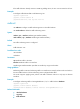
# Configure traffic behavior database to mark matching traffic with drop priority 2.
<Sysname> system-view
[Sysname] traffic behavior database
[Sysname-behavior-database] remark drop-precedence 2
remark dscp
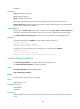
Use remark dscp to configure a DSCP marking action.
Use undo remark dscp to restore the default.
Syntax
remark [ green | red | yellow ] dscp dscp-value
undo [ green | red | yellow ] remark dscp
Default
No DSCP marking action is configured.
Views
Traffic behavior view
Predefined user roles
network-admin
mdc-admin
Parameters
green: Specifies green packets.
red: Specifies red packets.
yellow: Specifies yellow packets.
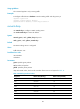
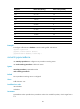
dscp-value: DSCP value, which can be a number from 0 to 63 or a keyword in Table 18.
Table 18 DSCP keywor
ds and values
Ke
y
word DSCP value (binar
y
) DSCP value (decimal)
default 000000 0
af11 001010 10
af12 001100 12
af13 001110 14
af21 010010 18
af22 010100 20
af23 010110 22
af31 011010 26