
R211x-HP Flexfabric 11900 ACL and QoS Command Reference
73
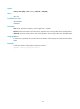
Related commands
display qos map-table
qos map-table
Use qos map-table to enter the specified priority map view.
Syntax
qos map-table { dot1p-dp | dot1p-exp | dot1p-lp | dscp-dot1p| dscp-dp | dscp-dscp | exp-dot1p }
Views
System view
Predefined user roles
network-admin
mdc-admin
Parameters
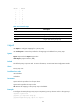
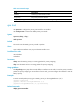
For the description of the keywords, see Table 25.
Usage guidelines
The dscp-dot1p priority map does not take effect on interfaces on SF cards.
EXP-related priority maps take effect only on MPLS-capable cards. For information about MPLS-capable
cards, see MPLS Configuration Guide.
Examples
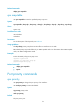
# Enter the 802.1p-drop priority map view.
<Sysname> system-view
[Sysname] qos map-table dot1p-dp
[Sysname-maptbl-dot1p-dp]
Related commands
• display qos map-table
• import
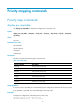
Port priority commands
qos priority
Use qos priority to change the port priority of an interface.
Use undo qos priority to restore the default.
Syntax
qos priority priority-value
undo qos priority
Default
The port priority is 0.